


HOWTO: Buy a New Computer
A reader aks: 'I teach senior citizens in a free community based computer lab. They often ask what to look for when buying a computer, what software they need for email, basic Internet usage, word processing, etc. Many are on a limited budget. What would you suggest they need as a minimum?' |
Recommendations For a New Computer
The good news is that computer prices have dropped a lot over the past few years, and the computing power you get for your money is going up! I don't recommend used computers for anyone, because the rate of change of computer technology will render most systems nearly obsolete within three years. If you're a computer novice, wondering what kind of computer, monitor, hard drive, memory, and operating system to get... here's some advice to get you rolling.
Both will take you to the same Internet, and enable you to send and receive email. Both offer word processing, and the documents they create are interchangeable. Because Windows-based computers make up 90% of the market, they are cheaper. It's the law of supply and demand in operation.
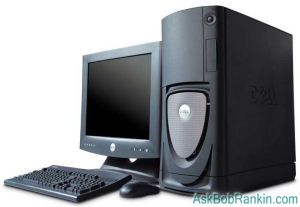
A decent entry-level Windows desktop PC with monitor can be purchased for about $500, and sometimes you even get a printer in the deal. If you can find a new computer running Windows 7, I'd recommend it, because Windows 8 has a steeper learning curve for those who already use Windows. But if Windows 8 is your only option, don't sweat it. My article Switching to Windows 8 Made Easier will help to smooth out most of the bumps.
By comparison, the Mac Mini (Apple's entry-level desktop computer) would cost at least $800, after adding the mouse, keyboard, monitor and cables that are sold separately. So if you're budget-minded, I suggest you go with a Windows-based PC.
However, if you're already familiar with the Mac OS interface or Mac software, that's an important consideration. Learning an entirely new interface can be daunting. Another factor to consider is whether you already own an Apple product such as the iPhone. Apple products and services are designed to work within the Apple/iTunes/iCloud "ecosystem," and that's something the company does rather well.
So, regardless of the PC or Mac orientation, what should a newbie look for in terms of speed, monitor, memory and hard drive specs? It doesn't have to be all that confusing...
What about Horsepower?
The CPU (central processing unit, or "processor" for short) is the brain of your computer. In general, the faster the better. Processor speeds are measured in gigahertz (GHz) and as of this writing, the fastest models available operate at about 4 GHz. Entry-level machines start at about 2.5 GHz and are more than adequate for web surfing, email and word processing.
Thanks for the Memory Chips
The next decision you have to make is how much RAM memory you need. Don't confuse RAM with hard drive (file storage) space. RAM is the temporary working memory that your computer uses to perform calculations and manipulate files. When you open a document, it is copied from the hard drive into RAM. As you and your word processor work on the file, the modified copy exists only in RAM. When you save the file, it is copied from RAM back to the hard drive, or permanent storage. And as with CPU power, the more RAM you have, the better your computer will perform. I recommend you have a minimum 4 gigabytes (GB) of RAM, but with 8 gigabytes you'll probably notice better performance, especially if you like to have more than one program open.
Hard (Drive) Decisions
The hard drive is your permanent file storage. All of your personal files, such as word processor documents, photos, music, and emails are stored here, in addition to software packages and the operating system. Most new computers come with a hard drive that's several hundred gigabytes (GB). I recommend you go with a hard drive with 500 GB capacity, but consider moving up to 1000 GB (one Terabyte) if you plan to keep lots of photos, music or videos on your computer. Hard drives that can store a terabyte of data are now available for under $100, so there's really no need to skimp on disk storage space.
Go For a Large Monitor
Here's the formula: Larger Monitor = Less Eyestrain and Less Scrolling. I recommend at least a 17-inch monitor, or even a 19-inch if you don't mind spending a bit more. Don't worry about brand names here; in my experience they're all pretty much the same. Stay away from 14 or 15-inch monitors, they're just too small to be practical. (My personal desktop setup includes DUAL 22-inch monitors!)
The Mumbo Jumbo
Don't allow yourself to get bogged down in tech jargon or acronyms. Things like processor cache, RAM clock speed, the chipset of the video card, the rotational speed of the hard drive, and the contrast ratio of your monitor are really not that important when you're buying a basic desktop computer. Most of those are things you'll never notice anyway, unless you're on the geeky side.
What About Software?
Most of the software you need will come pre-installed on your new PC. Windows comes with Internet Explorer (for web browsing) and Macs have Safari. For email, I recommend a web-based approach like Gmail or Outlook.com.
Many PC systems include a word processor, typically a trial version of Microsoft Word. If your computer doesn't come with this software, I suggest you check out Google Docs or Libre Office, both of which will give you a word processor similar to MS Word, a spreadsheet similar to MS Excel, and other useful programs, all free! You can find other free or low-cost office software in my article on Microsoft Office Alternatives. On a Mac, you'll probably want to purchase Pages (for word processing), and Numbers (for spreadsheets) for $19.99 each.
Look for a computer that comes with anti-virus software pre-installed. If yours doesn't come with an anti-virus package such as McAfee or Norton, check with your Internet service provider to see if they offer anything for free. Another option - you can download AVG Free, or another excellent free anti-virus package to replace the one that comes with your system when the free trial period expires.
Summary
So in a nutshell, here are my recommendations:
- Look for a Windows based PC with monitor for around $500
- Processor: 2.5 GHz or better
- RAM memory: 4 GB or better
- Hard Drive: 500 GB or better
- Monitor: 17-inch or larger
- Office Software: Libre Office or Google Docs
- Security Software: Free version of AVG
Where to Buy?
Research prices online, then look at your local computer store first, as they may have some good deals and offer local support. Office supply and electronics stores such as Staples, Office Depot, and Best Buy are good options to explore too. If you're comfortable buying online, check out Dell, Gateway and other vendors to compare features and pricing.
Obviously this advice is focused on those who are looking for a desktop computer. I'll be following up this article with another on laptops and tablets, so stay tuned.
Your thoughts on this topic are welcome! Post your comment or question below...
|
|
|


This article was posted by Bob Rankin on 15 Jul 2013
| For Fun: Buy Bob a Snickers. |
 |
Prev Article: HOWTO: Clone Your Hard Drive |

The Top Twenty |
Next Article: Should I Buy a Laptop or a Tablet? |
 |
There's more reader feedback... See all 34 comments for this article.
Post your Comments, Questions or Suggestions
|
Free Tech Support -- Ask Bob Rankin Subscribe to AskBobRankin Updates: Free Newsletter Copyright © 2005 - Bob Rankin - All Rights Reserved About Us Privacy Policy RSS/XML |
Article information: AskBobRankin -- HOWTO: Buy a New Computer (Posted: 15 Jul 2013)
Source: https://askbobrankin.com/howto_buy_a_new_computer.html
Copyright © 2005 - Bob Rankin - All Rights Reserved

Most recent comments on "HOWTO: Buy a New Computer"
(See all 34 comments for this article.)Posted by:

Dave Moran
15 Jul 2013
Bob, Another vote for refurbished/off lease Micro Center and Tiger Direct both have great deals. I work at a residential treatment center/high school and we buy a lot of refurbished not just for the students, I have turned some of the Sisters that direction as well. It's also a lot easier to find Win 7 machines.
Posted by:

James
15 Jul 2013
I have an imac 3 yrs old, it suddenly got slower just in the last 2 weeks, coincidently, after downloading an Apple security update which was 347 MB. Do I need a PC cleaner ? I am at a lost.
Posted by:

RandiO
15 Jul 2013
Simply great article with the possible exception of the statement about "Look for a computer that comes with anti-virus software pre-installed". Most of these "BLOATware" A/V sw force the unknowing user to upgrade to the PAYware version when the trial period expires. In the case of the Windows7/8 OperatingSystems; the built-in MicrosftSecurityEssentials and/or Microsoft Defender along with the built-in Malware detection (aka Malicious Software Removal Tool) program (and the firewall) should more than suffice for 'light' users w/o having to fork out more $$. But then again, the other alternative would be use one of the FREEware that you outlined in the link. Just a few years ago, the above may have be a worrisome proposition but not anymore. [IMHO]
Posted by:

JMeans
15 Jul 2013
Thanks Bob. This is where I am right now. I've hung on to my Dell Inspiron XP laptop for a long time, but now it won't upgrade any more than what I've already done. You've given me some great idea. I love a laptop, but I'm also looking into the Dell all-in-one screen which would be similar to a laptop but maybe without some memory and storage issues I've recently had. Despite my blah opinion of Microsoft, I guess I'll stick with Windows. After 18+ years on that OS, I am hesitant to change, even though I enjoy my Iphone. (and want an Ipad)
Again thanks.
Posted by:

Howard
15 Jul 2013
Apple computers have always been much more expensive. The OS may be more stable and less prone to viruses, but that is no excuse for the extra $500+ over an otherwise identical Windows desktop.
I also have to agree with the factory refurbished machines being a great deal. My next laptop will be a factory refurbished one.
Posted by:

Kimberly
16 Jul 2013
Definitely a keeper. Great info for quick reference. I'm looking forward to the laptop article!
As a side note, would love to see dates on your articles : ) Not sure why this isn't done more often on internet articles in general.
EDITOR'S NOTE: Dates are at the end of each article. Search for "Posted by".
Posted by:

Kirill
16 Jul 2013
Overall it's a good article. But I've never seen anything about refurbished/recertified computers. Right now you can buy i5 with 8Gb RAM and 1Tb HDD in Walmart (Gateway and HP) for $398. The market price for that is around $700. Almost a year ago I bought a brand new Dell with 2Tb HDD and similar other hardware for $449. So two things could save your budget - refurbished and sale. It's Thanksgiving coming, so be prepared.
About display. Why 17? I consider 19 at least. It's less than a hundred now. The optimal option for me is 22-24 that is between $110 and $140. But more... Actually you can hang your PC to TV and get, for example, 72 for free. Well, technically. But don't get 24 instead of computer display - it gives nice picture, but awful text.
So about $500 Bob is right, but that would be one step down from the top computer (i7). I mean regular workhorse, not gaming one. Also you can save another $50-100 with AMD CPU of similar class. So speaking of a really budget PC, we can squeeze to $350 for a new one.
But if you need basic only, I can not agree with Bob about his hate of used computers. I have a relic of 1996 year with Pentium III (originally was PII) that still works fine. It's almost impossible to surf web, but basic Office documents - easy. Any computer that can work with WinXP can run Windows 7. Usually you need to add some RAM that isn't very expensive (2Gb for old Sony Vaio VGN-S380P was around $19.50 for me plus 750Gb HDD for $55 - to install Win7 and FreeBSD together). So you can grab an used PC at garage sale and give it a new life. That would be cheaper $500, believe me.
Some were surprised why there is not a word for laptops. I'd advice to keep away of them. It's nice to have it with you everywhere, but it's a pain in the ass to update or fix. And also a lot of money. How much do you think, price for a cooling system for Sony? $300 - easy! Yes, it's basically fan. Similar problem with slim-factor tiny lovely desktops. Power supply usually $100 for an original or around $40 for OEM. Regular could be found for around $20 or less. Do you math. It's not a question if my computer breaks, the question is when it will happen. So be prepared.
Some other notes. Win vs Mac - the price for Mac is higher mostly not because of demand/supply, but of the Apple marketing. They brainwash you. They sell old hardware for price of brand new. It's not deceiving - they need more time to build error-free software for that hardware and this is why they always are one generation of hardware behind Windows and UNIX/Linux world. Of course, it's not completely error-free, but much more solid. Also they design environment, where every piece of tech can be connected with another and work together. It's a pretty good approach, but it's completely separated from other world by their own proprietary standards. To enjoy this brave new world you have to sell you soul to Apple completely. I prefer ugly world of freedom.
Win 7 is an optimal option since it can work with relatively old hardware. Also new operating systems could work with 64-bit only hardware (for example, Solaris, CentOS). Win 8 have pretty high requirements for CPU as well. My Sony VGN-S380P (Pentium Centrino) I mentioned above is incompatible with Win 8, but fine with Win 7. That corresponds with RAM - Windows can not use more 4Gb in 32-bit version, so you don't need 8Gb RAM for that. Every OS is different - so check its requirements first.
Horsepower in GHz is not enough. For example, is Prescott architecture Pentium 4 from 2004 with 3.8GHz frequency better that Bob's recommendation of "2.5 GHz or better"? Hell no! Now we have multicore/multiprocessor CPUs and lower frequency can give more "horsepower" through more CPU cores. Also pay attention to cache memory - the more the better regardless of manufacturer, frequency, architecture etc.
Linux, UNIX is pretty interesting, but it's completely different approach. It is solid, it works fine. But the main principle - you are master and have to do everything yourself. There are a lot of professionals who are ready for helpful advice, but only you can use it to fix things. It's wonderful exercise for your brain, so you can begin with virtual environment with Linux in you regular boring Windows. When you feel comfortable in this world - switch. Otherwise you can stuck with all your valuable files, photos, movies at HDD with file system that could not be recognized from Windows-based computer. It's like to be a foreigner with basic phrases of local language and huge problems. Learn this language well first.
Well, hope you're still alive after my comment.
Posted by:

Kirill
16 Jul 2013
Oops, I forgot to mention, that refurbished or recertified should be by manufacturer. I read bad feedbacks at newegg or tigerdirect about refurbished computers that were serviced by some liquidation company. There are good ones, but it's a kind of gamble. Also manufacturer gives you limited warranty for usually 90 days. You can find them online at retailer's or manufacturer's stores.
Posted by:

Nancy E Bush
16 Jul 2013
Geeks will cringe, but for a novice senior who can afford $900, a Linux-based Wow! computer can be a miracle. Designed with the features most likely to be wanted by seniors and with complexity carefully hidden away, it is a beautifully designed answer for this market. I have an 85-year-old friend who has tried for more than 15 years to learn to use a computer; but despite 3 computers, classes, tutoring, a mountain of how-to books, and neighbor support, she simply couldn't get it. Within five minutes of hooking her up to a Wow!, she was ecstatically online looking up her favorite author and sending email to her daughters. Amazing! Yes, pricier than a PC but less than most Macs.
Posted by:

Robert Meeker
16 Jul 2013
Google docs doesn't exist anymore. It has been renamed My drive which is confusing.
Posted by:

Jo
16 Jul 2013
Think twice before suggesting a laptop, especially for a senior citizen. A laptop is an ergonomic nightmare for some people. I'm one of them and I'm only 50.
Posted by:

Mike Higgins
16 Jul 2013
Well written. I agree with Bob D...27" monitor, as I work with Seniors myself. Many need enough real estate for large print and still keeping most what they are reading on the screen. Also, I was surprised that you recommended AVG, since I switched from Security Essentials to Avira based on your November article. AVG had scored well, too, but not as well as Avira (and G Data).
Posted by:

james
16 Jul 2013
Bob,
since you are thinking of writing new articles on tablets why not one on general smart phones and how to use its basic functions to get a person that has just purchased their first smart phone transition from their old flip phone. Some people have purchased one for the first time and are going through a nightmare because the manual does not explain its use only very basic to just turn on. I get asked to help daily from friends and family members. It would be nice to write an article or even a book on the topic.
Posted by:

BRYAN
16 Jul 2013
Most t v s now come with connections for for computers so if you have a new t v you can use them for a monitor ,I have two connected to two 32 inch tv s with no trouble at all .Saves buying a monitor .
Posted by:

SharonH
16 Jul 2013
I am glad to see others agree that refurbished is an excellent way to go. I just bought my "new" PC off of eBay from a seller with excellent ratings, longevity and even willing to speak over the phone if there is a question or problem. It's running Win 7, came with keyboard, mouse and a 17 in. monitor. The latter I gave to my husband as his CRT finally died. I myself use a 24".
I paid $155 for the whole bit with free shipping.
So I was a bit put off that the article didn't even mention the refurbs. Not only are the prices right, but it is an excellent way to still get Win XP or 7 and completely avoid Win 8.
Posted by:

MmeMoxie
16 Jul 2013
Bob, excellent article. However, I feel that for those who are on a limited budget, to get a refurbished Dell or Packard Hewett computers.
I have gotten several for friends, in years past. Just this past few months, I purchased 2 refurbished Dell computer towers, for my husband and myself. These came with Windows 7 and I was so pleased. The place where I have gotten them from is Computer-Show.com and they give a 6 months warranty, which is very unusual. The packaging for shipping, is awesome. They wrap the computers in plastic and then use "blow foam" to fill the box, for protection. They come working, right out of the box, too.
Both of these computer towers cost me only a little over $500, which included shipping and handling. Now, in my opinion, this was a good deal. I also, added 2GB memory module, to each tower, to have 4GB memory module in each tower.
I am so pleased with these towers and I am a person who has built 12 computers, from scratch. So, that is the quality of the refurbished computers, from Computer-Show.com.
Posted by:

Sheri
16 Jul 2013
I purchased my HP Pavilion a6632uk in Dec 2008 and it is still very far from obsolete, thank you! The ONLY thing it doesn't have that some newer desktops might is Wi-Fi. But as it's a desktop computer, I prefer a hard wired connection anyway, as you get significantly better speeds with hard-wired compared to wireless.
It has 4 GB RAM and I installed a retail version of Windows 7 Home Premium as soon as it was released in the UK. My video card is more than adequate for a silver surfer, who never plays high speed video games but does quite a lot of photo editing! And the PC's general performance still seems excellent :-) So I disagree that PC's get obsolete after about 3 years!
Posted by:

Robert
19 Jul 2013
I must disagree on monitor size. Get what feels right for you (check them out at local stores. If no monitors are set up, fake it by checking regular TVs.). As a "senior" with crappy eyesight I actually find 16" CRTs or 19" LCDs most comfortable (although I get double vision with some LCDs). I know someone who just had to go with a big 32" LCD screen, but soon found that it was terribly uncomfortable on his eyes and now wishes he had gone smaller. And like others have said, I'm quite happy with my old XP laptop system, although there are things to be said for Win7 like I have on my netbook. My desktop with Vista has been a bit of a pain though.
One other thing to consider. Although there there are Linux evangelists, I have found a number of programs I need to use (like for online auctions) only come in Windows or Mac versions. And one online game I play only released a Mac version recently. So match the OS to the software you want to use, not the other way around.
My opinions.
Posted by:

Derek
13 Aug 2013
Goto Apple store, pick Macbook Pro or Air -- done!
Posted by:

martha
29 Sep 2013
Great timing! I am advising a "silver surfer" client who has a 5 year old e-machine that is giving her grief (slow, error messages, crashes, etc.). She will keep her 24" monitor and wireless Internet connection. I was researching desktops last evening and ran into your article. With very few exceptions I agree with your article.
Thanks!